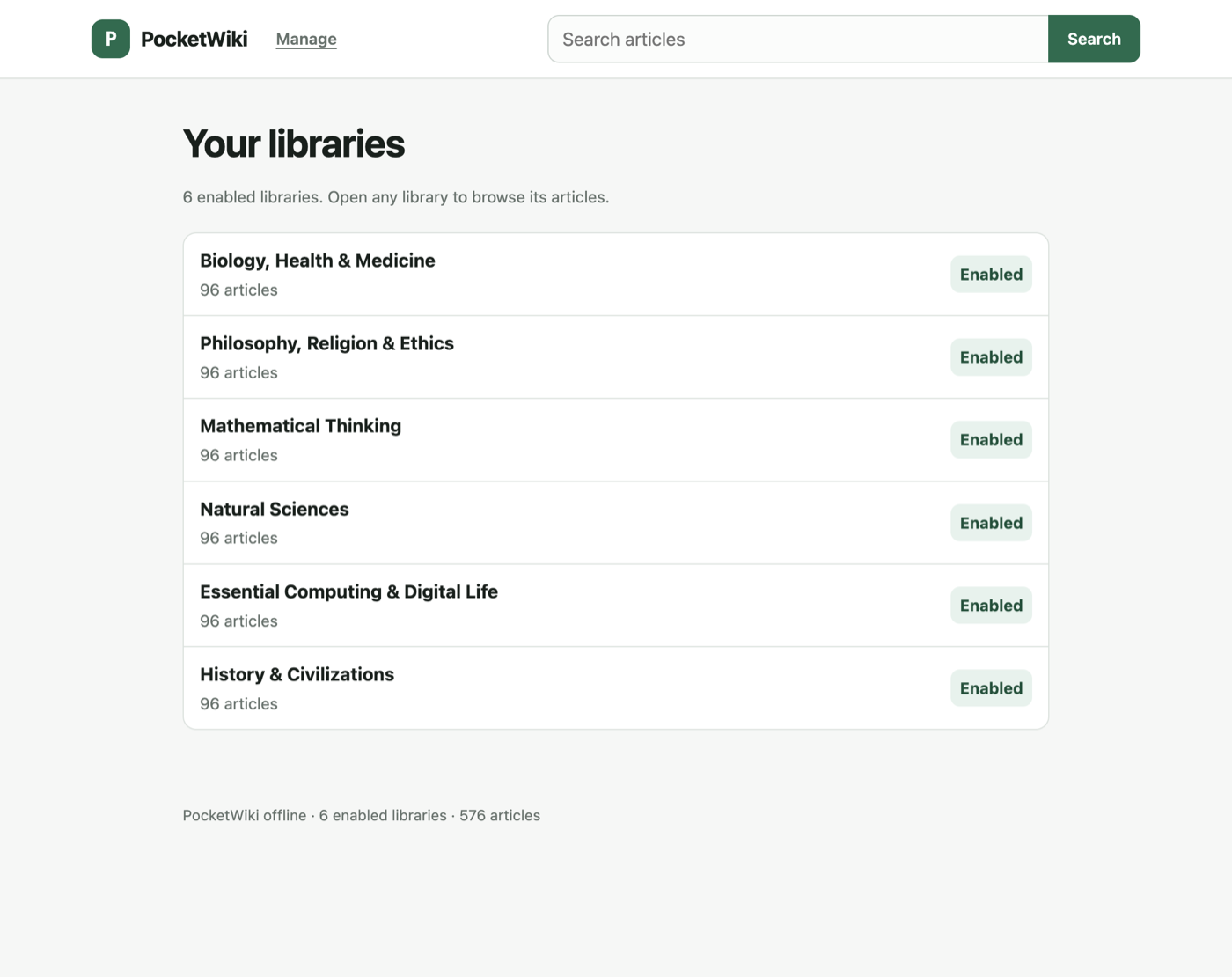
I have a small board on my desk that serves a reference library over its own Wi-Fi network. It has 4 MB of flash, 216,084 bytes of reported heap, one 160 MHz core and no PSRAM. There is no router, no account, no cloud service and no phone involved in reading anything on it. You plug it into USB, join the PocketWiki network it creates, and open http://192.168.4.1/ in any browser.
PocketWiki is open source now. The firmware, pack tooling, Android app and macOS flasher are on GitHub under MIT; the article text lives in a separate repository under CC BY-SA 4.0, because it is adapted from Wikipedia and the two licences should not be tangled together. The project page flashes a board from Chrome or Edge and writes your 2.4 GHz Wi-Fi details at the same time.
This is the design story, mostly about memory.
The budget came first
An ESP32-C3 with 4 MB of flash is the tight target. The partition layout gives 1.5 MB to the application, 448 KB to the built-in library and 64 KB to its index, leaving roughly 1.94 MB for optional packs. The current firmware image is 1,224,416 bytes, which is 78% of the app partition. The mountable pack budget, after FAT metadata and the wear-levelling reserve, is 1,978,368 bytes.
The same firmware runs on an ESP32-S3 with 16 MB, where the pack store is 14,389,248 bytes. That board is the comfortable one. The C3 is the one that dictates the design, because everything has to work there first, with Bluetooth resident for the Android app.
What the device does
The firmware is access-point first. It starts NVS, Wi-Fi in AP plus station mode, the built-in archive, the FAT-backed pack store, BLE, the optional SSD1306 display and the HTTP server. A bad optional pack does not stop the device booting. A corrupt built-in archive still lets the diagnostic routes answer.
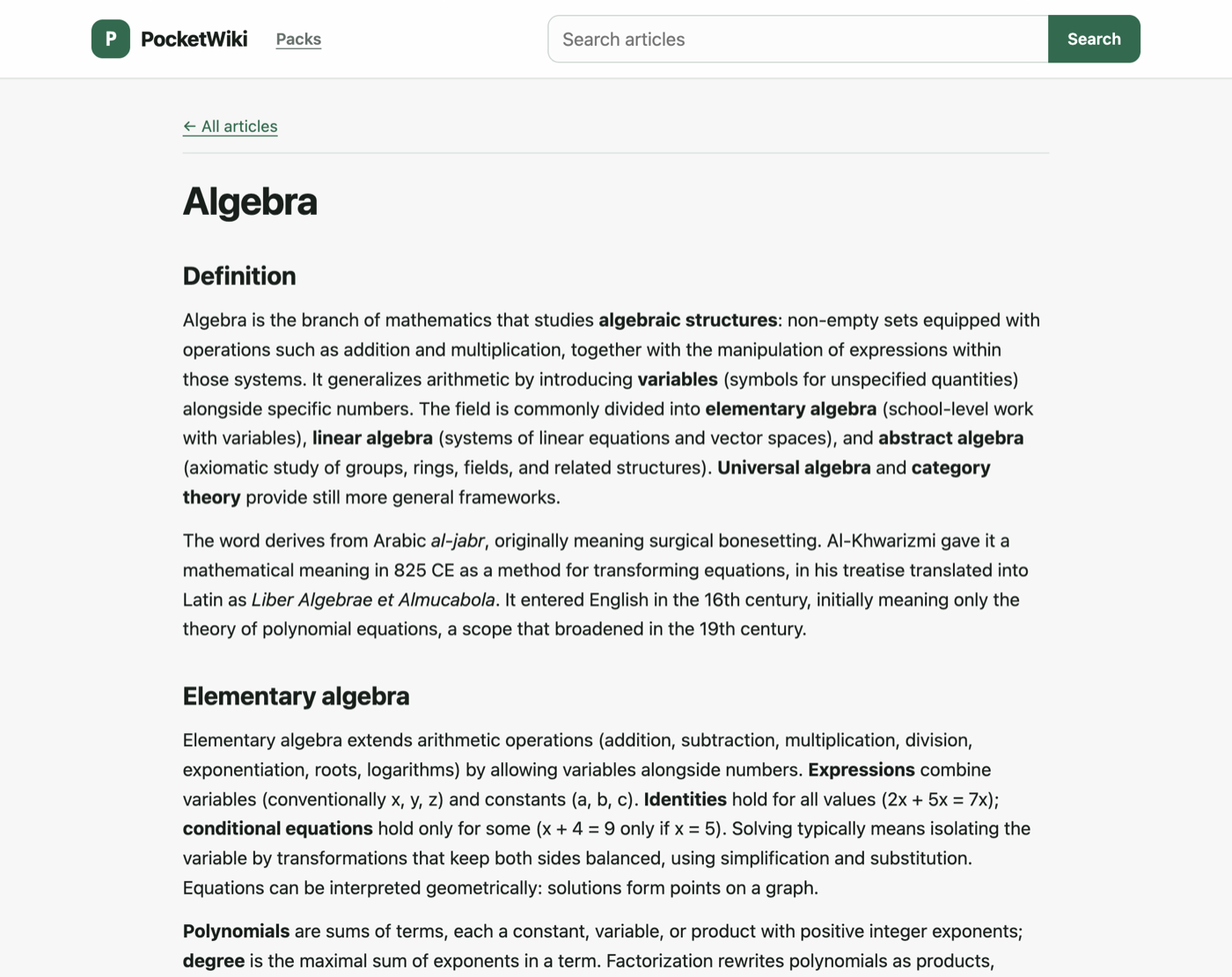
The web interface at / is the reader and /manage is the setup surface: join a 2.4 GHz network, refresh the pack catalogue, upload a .pwp file, remove a pack. Station Wi-Fi is only used when you ask for a catalogue refresh or download. Reading never needs it.
If an SSD1306 OLED is wired up, it shows the reading address, article and pack counts, storage and transfer progress, and a short press of the BOOT button cycles through QR codes for joining the network and opening the reader. The display is optional and makes no difference to the web interface.
Fitting a library into 1.9 MB
The obvious approach, one gzip stream per article, costs 3,418 bytes per article across the corpus. That is around 570 articles in a 1.9 MB store. Fine for a starter pack, not for a catalogue you want to carry.
The v3 format compresses every article against one shared dictionary instead. Each article is still an independent stream, so the device can serve one without touching the others, but the stream is raw DEFLATE (RFC 1951) at zlib level 9 with no gzip or zlib wrapper, because the dictionary is supplied out of band. The dictionary is trained on the pack’s own articles, capped at 32 KiB, and stored at the end of the payload where it does not disturb any article offset.
The part that makes it affordable on this chip is where the dictionary lives. DEFLATE’s LZ77 window is exactly the ring the article decoder already inflates through. The server loads the dictionary into that 32 KiB ring, right-aligned, before inflating an article, so a back-reference of distance d at ring position p reads ring[(p - d) mod 32768], which is the d-th byte from the end of the dictionary. One buffer, no second window, no allocation, no per-article heap.
That is a memory budget argument rather than a compression argument. The C3 keeps Bluetooth resident for the Android app, and dictionary decoding adds nothing to the image’s static memory. The whole decoder workspace, the ring plus inflater state plus a 1 KiB input chunk, is 44,784 bytes according to nm, and the S3 carries the same figure because nothing about the code path differs.
The compression is real as well. On the 2,209-article corpus (16,018,944 raw bytes, 7,251.7 bytes per article), v3 stores 2,189 bytes per article against 3,418 for plain gzip. The per-domain packs that ship average 2,388 bytes per article, which is about 825 articles in the C3’s pack store and 6,022 in the S3’s. One pack decodes on both boards.
Two limits keep the format honest. The dictionary is capped at 32 KiB and the device rejects a larger one before install rather than failing per article. Article bodies are capped at 2 MiB by the packer.
Checking the decoder against hardware
A v3 frame carries no checksum of its own, so the index is the integrity contract: each index entry holds the uncompressed length and a CRC32 of the article bytes, and the index itself has a CRC. A wrong dictionary or a truncated stream fails the CRC instead of serving plausible-looking text. The firmware verifies bounds, order, IDs and the index CRC before it serves anything.
The host suite also carries a C harness that reproduces the ring, the 1 KiB input chunking and the dictionary convention for every article of the sample and biology corpora, so a divergence between the Python packer and the device fails on the host rather than on the board.
On real hardware I compared every response byte-for-byte against the host decoder:
| Case | Result |
|---|---|
| Built-in archive from the flash partitions | 100/100 articles identical, 10.2 s for the set |
| Installed pack on FAT (250,330 B upload) | install 3.1 s, 100/100 identical |
| Catalogue pack fetched over the device’s own HTTPS | P:67235:67235, OK:24, 24/24 identical |
ETag / If-None-Match |
304, crc-cd72b0f2 |
Reading an article costs a 32 KiB dictionary read from flash first. Measured read rates on that board, 2,429,100 bytes in 712,814 µs through FAT and in 440,642 µs from raw flash, put that at 6 to 10 ms per request. Pack installs are staged into a temporary file and renamed only after the size, CRC, header, offset and index checks pass, so a failed install leaves the previous pack readable.
Serving pages from a single handler task
esp_http_server serves one request at a time on this target, which means one stalled response takes down every route on the device. Three things keep the reader reachable.
Response bodies go out in 1 KiB chunks, including the embedded manager script. Chunk boundaries are arbitrary, so splitting a rendered buffer changes nothing on the wire, and no response needs a buffer sized to the article.
Chunked responses end through a helper that writes the 5-byte terminator in one bounded socket write. ESP-IDF’s own terminator path retries partial writes, which can stall the server task on the C3.
Every write failure retires the client. This one was found the hard way: four abandoned page loads, a phone browser that gave up on a page, left the server unreachable for as long as it was left running. With retirement, it recovered immediately. The socket pool is 7 against CONFIG_LWIP_MAX_SOCKETS=12, since a browser opens parallel connections and the pool purges a live response when it fills, and send_wait_timeout is 5 seconds, which is how long one unresponsive client can hold the handler.
Getting packs onto the board
There are three ways, and they share one install path.
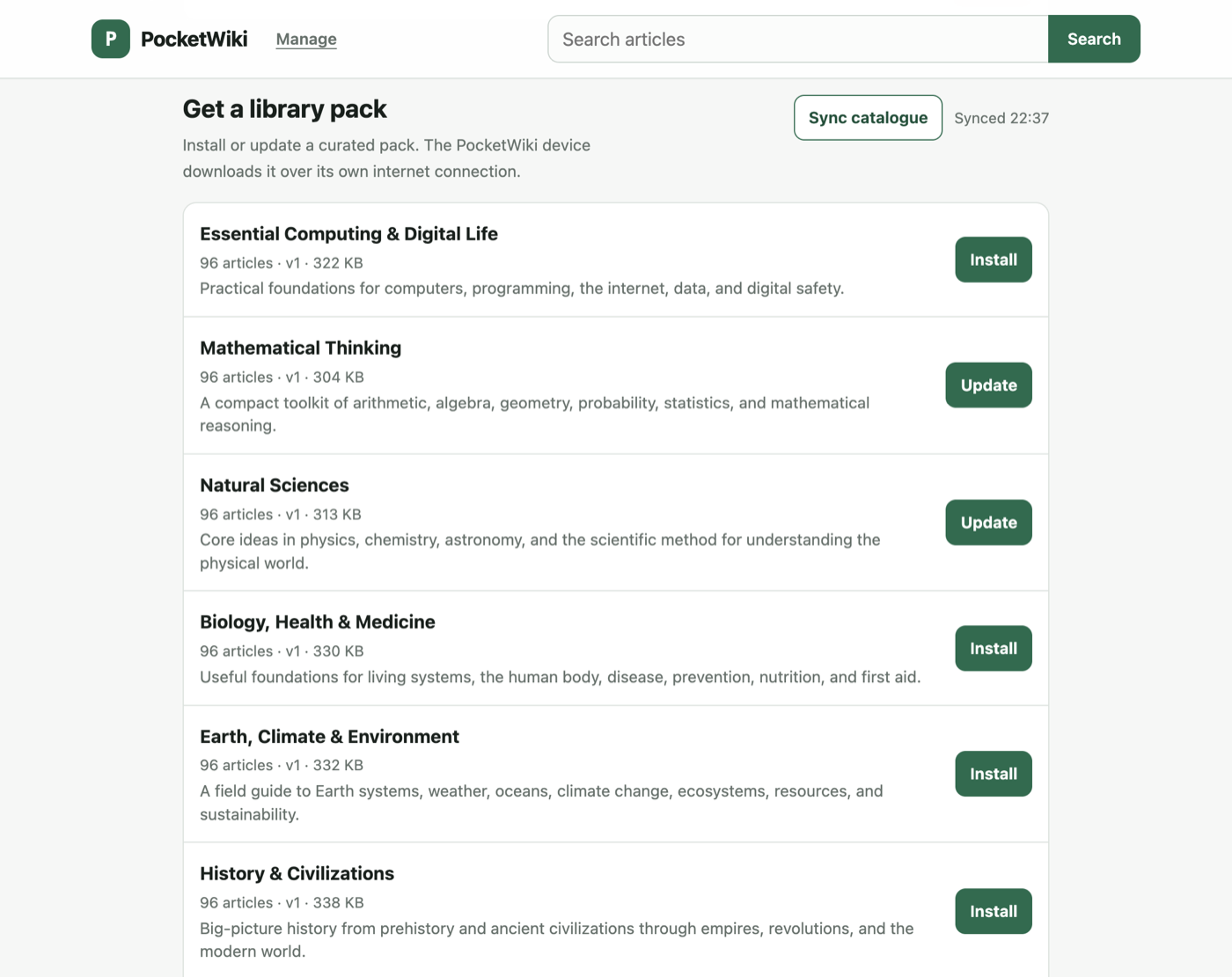
The browser uploads a .pwp file over Wi-Fi from /manage. The Android app uses BLE for discovery, Wi-Fi credentials, storage reporting, pack listing and removal, and sends pack bytes over Wi-Fi when it can reach the device with chunked BLE as the fallback. Both are bounded by the free space the device reports.
The Android app downloads before it installs, as one batch. Joining the device’s access point takes the phone off the internet, so it fetches the whole selection first and then installs it over a single held connection. An install is a session rather than a request: the device accepts one upload at a time and reports what is left, so a client queues packs and checks each against the space the previous one left instead of starting transfers the device would refuse.
Flashing it without an embedded toolchain
The landing page flashes boards itself. It reads the current verified manifest from packs.educated.space, checks each image against the byte count and SHA-256 recorded there, and writes it at the offset its partition table gives with esptool-js over the Web Serial API. Chrome and Edge on a desktop are the only browsers that expose a serial port to a page. WebUSB is not an option for these chips, because the operating system claims the ESP32-C3/S3 USB-serial peripheral with its own CDC driver.
When you supply Wi-Fi details, the page builds an nvs partition image in the browser that is byte-compatible with ESP-IDF’s nvs_partition_gen.py, in the pocketwiki namespace the firmware reads on boot, and writes it at 0x9000. Your credentials go to the board and nowhere else: the flash happens entirely from the page against images that were published earlier, and tools/publish_firmware.py refuses to write a manifest when an image overflows its partition.
There is also a Swift command-line tool and a macOS app that detect the chip and flash size, check each image and ask esptool to verify, plus tools/flash_all.py for a local build. Flashing is one script or one click either way.
Two repositories, two licences
The code is MIT and the text is CC BY-SA 4.0, so they live apart. A code contributor never has to reason about a content licence, and a content contributor never has to reason about a software one.
The content repository holds a shelf pool of 234 shelves and 21,966 articles grouped into 20 subject collections, 27 themed pack directories with 2,209 articles, 3,948 longer pieces covering the Wikipedia vital-article lists, and the 100-article starter pack a freshly flashed device already has. The published catalogue is 55 packs holding 5,452 articles, built as v3 packs by the same packer. Every article ends with a footer naming the Wikipedia contributors, the licence and the source URL, and tools/validate_corpus.py runs in CI to check that each article has exactly one h1 title and that footer, that every file the manifest names exists, and that the catalogue publishes only shelves the selection file names.
The packer sanitises as it builds: active content and remote resources are removed, accepted internal links are rewritten to device routes, external links lose their href and keep their text, and the title index is sorted for binary search. A build refuses a pack it cannot decode rather than failing one article at a time, and the device checks a pack against the archive readers before it installs it.
What it does not do
The first release has no OTA firmware update path; the 4 MB layout trades dual-app slots for simplicity. Search matches normalized title prefixes, not full text, and case folding is ASCII-only so Unicode bytes are compared as they are. The default access point is open and the HTTP server is local and unencrypted, so set a WPA2 password before using it anywhere shared.
Some numbers are missing. S3 Wi-Fi throughput, PSRAM use and multi-client timings are unmeasured, and the only live network probe timed out, so there is no 1/2/5/10/20-client load result in the benchmark document. What is in there is what was actually run.
Where it goes next
The roadmap item I want most is turning pasted URLs into packs: you paste links into the web GUI or the Android app, a backend fetches and converts them into the existing article input, and the device installs the resulting .pwp and keeps working offline afterwards. The pack format does not change for it. The open questions are where that conversion runs, which source types are supported first, how deep a submitted link should crawl, and what the size limits should be per job and per pack on a 4 MB board.
The board on my desk costs about £5 and holds more than I have read. That is the whole argument for building it.
Source: github.com/bilawalriaz/pocketwiki (MIT) and github.com/bilawalriaz/pocketwiki-content (CC BY-SA 4.0). Flash one from educated.space/pocketwiki.